Work
Suggested plans and approval
Your AI suggests which page should own which search. Nothing in a suggestion takes effect until you approve it, in your own words, through your AI.
A suggested plan is your AI’s suggestion for which page on your site should own which search. Each entry names one page (an existing page, or a new page at a route on your site), the one target search that page should own, any supporting searches, the search demand measured for them, and your AI’s reasons. Querywright saves the suggestion exactly as your AI submitted it, checks it against the evidence and your earlier plans, and waits for you. When you approve it through your AI, it becomes a plan, and your newest approved plan is the plan in effect for the site.
What Querywright records
| Field | Meaning |
|---|---|
| Page | The page that should own the search, by its path, marked “Existing page” or “New page”. A new page is a route on your site that does not exist yet. |
| Target search | The one search the page should own. Supporting searches are listed beside it. |
| Search demand | The measurement behind the target search, in the App’s words, for example “About N searches a month” or “Google Ads reports 0. That’s their count, not proof nobody searches it.” See measured zero vs no data. |
| Shared count | “This count may be shared.” appears when Google Ads reports the same number for similar searches. Those searches are not added together. |
| Your AI’s reasons | The rationale for the entry and any uncertainty your AI stated, labelled “This explanation is your AI’s judgment.” |
| Not targeted in this plan | Searches your AI chose to leave out, each with its rationale. They are your AI’s reasons, approved with the plan when you approve it. They are not your own decisions. |
| Status | “Waiting on you” until you decide, then “Approved by you”, “Declined”, or “Not approved” when you approved a later plan instead. |
A saved plan never changes. A changed suggestion is a new suggested plan with its own status, and earlier ones stay in the history.
Conflicts and continuity
Querywright checks every suggestion mechanically before you see it, and your AI shows you what it found.
- Two pages cannot own one search. If two pages in the same suggested plan have the same target search, the plan cannot be approved. Your AI revises it and submits a new suggestion.
- The check compares exact wording, not meaning. Two searches worded differently are different searches to the check, even when they mean the same thing. Whether two pages compete for the same idea is your AI’s judgment and yours; for that question in depth, see keyword cannibalization.
- Existing owners are shown, not enforced. If an earlier plan gave the search to a different page, the suggestion names that page. Approving the new plan moves the search.
- Continuity is not a conflict. A page that keeps a search it already owns is simply continuing.
- Omitted pages are named. If the suggestion leaves out pages that are in your plan in effect, it says so. Approving it makes those earlier entries history.
How approval works
Approval is a decision you state to your AI, in the conversation, about the exact suggested plan it showed you. Your AI records it, and Querywright saves the approved plan with the date. The App shows and explains plans; nothing in the App approves one.
- Approval covers that exact suggestion. “Change this” means your AI issues a revised suggestion, which needs its own approval.
- Silence is not approval, and neither is “analyze this” or a yes to a different version.
- Approving a plan is not accepting copy. The words on the page are a separate decision, made later on the exact text. See approved copy.
- If you approve a plan that repeats an earlier entry exactly, that page keeps its approved copy and check from the earlier plan. The page shows “Carried from the plan approved” with the date.
I approve the plan you just showed me for /services/plumbing, exactly as shown. Record it.Not pursuing
When you tell your AI you will not pursue an exact search (in its market), a page, or a suggested plan, it records that decision in your words. Before suggesting anything new, your AI reads those decisions and raises any suggestion that touches one. To change your mind, tell your AI to reopen it.
Your decisions are different from the “Not targeted in this plan” entries inside a plan. Those are your AI’s reasons for leaving a search out, approved along with the plan. Your own Not pursuing decisions stand on their own.
Don’t pursue ‘cheap plumber’ for this site. Note that, and don’t suggest it again.What it does not claim
Where it shows in the App
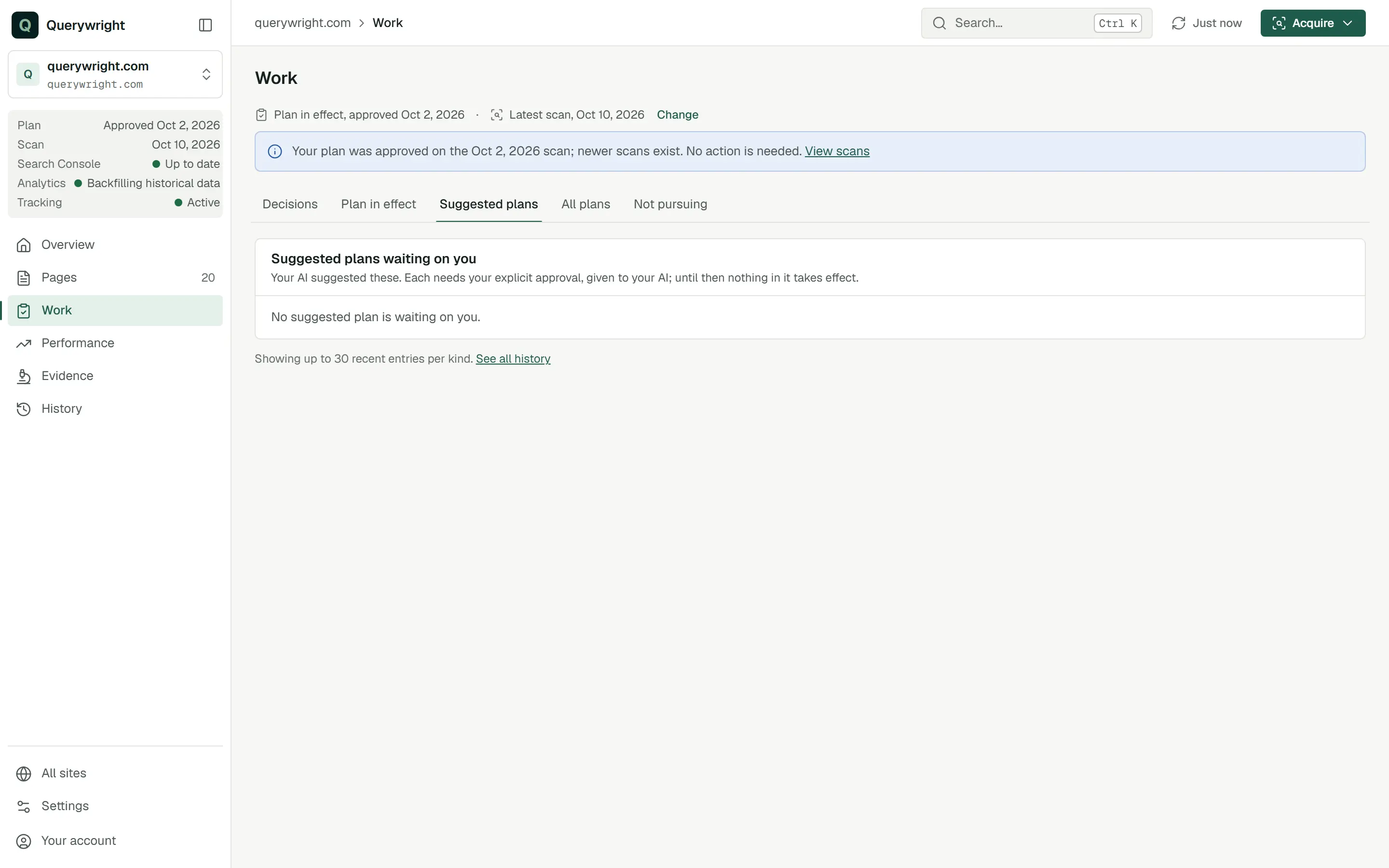
- Work › Suggested plans lists the suggestions waiting on you. Open one to read every entry.
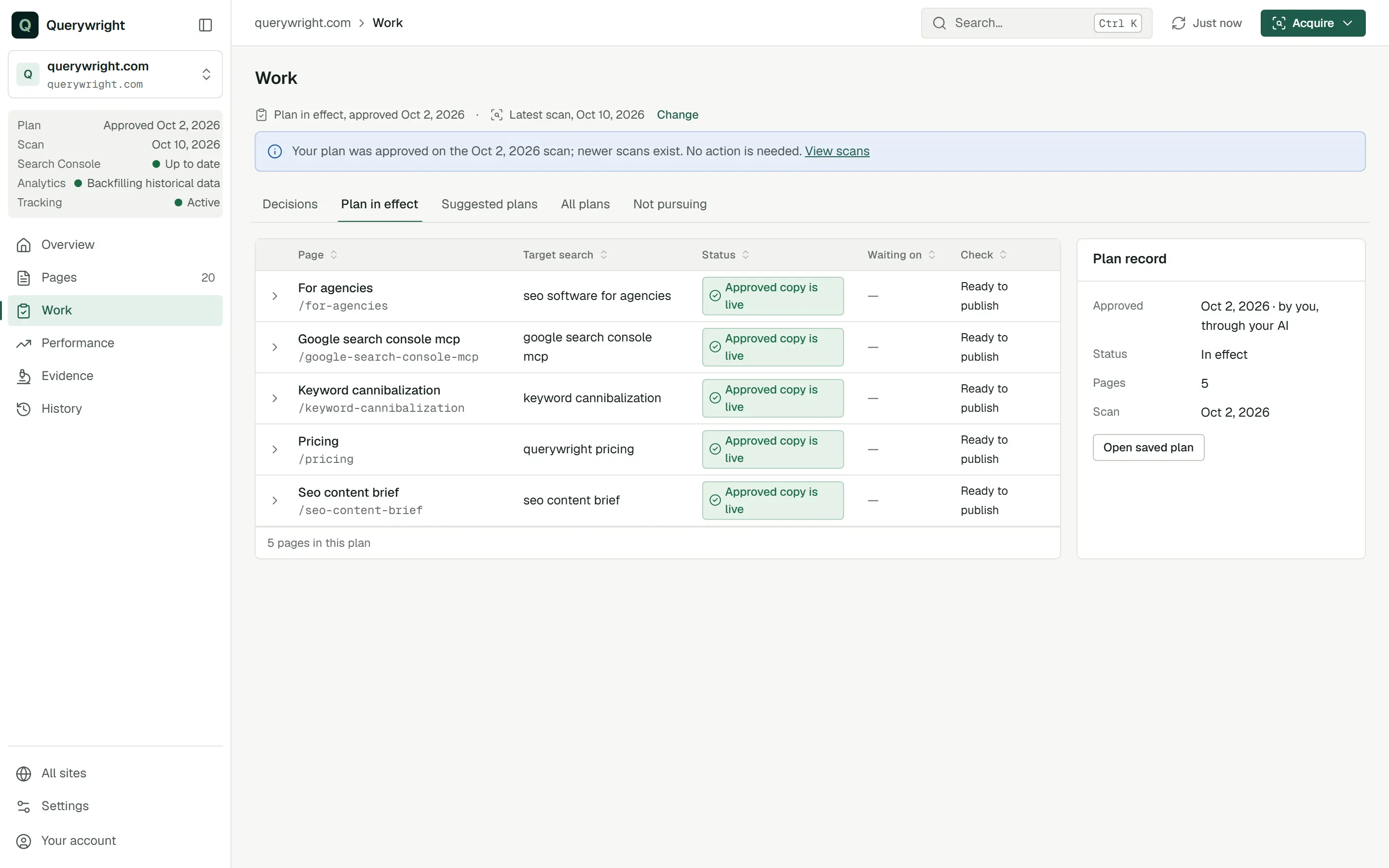
- Work › Plan in effect lists each page in the plan with its target search, its status, who it is waiting on and its check result. The Plan record panel shows when you approved it (“by you, through your AI”), whether it is in effect, and Open saved plan.
- Work › All plans lists your current plan first, then suggested plans waiting on you, then earlier plans and suggestions.
- Work › Not pursuing lists your newest decision for each exact search, page or suggested plan, with the date.
- On a page, the journey strip shows “Plan suggested” and “Plan approved”, and a page waiting for your decision shows “Waiting on you”. “Choose a plan” means saved plans exist for individual pages but none is selected for the site; choose one under Change.
What you decide
Does it use allowance?
No. Suggesting, approving and declining a plan, and recording what you are not pursuing, use no allowance. The evidence a plan rests on may: measuring search demand uses Keyword measurements and fresh Google results use Manual Google results, and your AI asks before using either. See allowances and when your AI asks first.
Last updated