Research
Site and page scans
A scan reads the public pages of your site and saves exactly what it found, with the date. No data provider, no model and no interpretation are involved.
A scan reads your site’s public pages and saves what it observed on each one. A site scan reads up to 200 pages, following links and sitemaps; a page scan reads one address. Every scan is saved as a dated copy. Plans, writing briefs and checks each point to the exact scan they used, so a later scan never changes what an earlier decision was based on.
What Querywright records
For each page it reads, a scan records:
| Field | Meaning |
|---|---|
| Address and status | The final address after redirects and the HTTP status the server returned. |
| Title and meta description | Exactly as the page states them, or that they are absent. |
| Headings | The page’s heading outline, in order. |
| Main text | The text of the page’s main content. |
| Structured data | The schema types the page declares. |
| Images | Each image and whether it has alt text. |
| Directives | Robots directives and canonical links, as evidence. A canonical does not change which page is which. |
| Links | Links between your pages, and the sitemaps the site lists. |
A finished site scan also reports its coverage:
| Label | Meaning |
|---|---|
| “Pages read” | Pages actually fetched and recorded. These are the observed pages. |
| “Pages found” | Pages found through links or sitemaps. Found is not read. |
| “Couldn’t be read” | Pages the scan tried and could not fetch. |
| “Blocked by site rules” | Pages your robots rules asked scanners not to fetch. The scan respects them. |
| “Complete scan” | The scan read everything it found within its limit. |
| “Partial, stopped at N pages” | The page limit ended the scan before the pages found ran out. |
| “Finished with gaps” | The scan ended without reading everything it could. |
Querywright scans only sites you have added. https://example.com, https://www.example.com and http://example.com are different sites; see sites.
Two ways to run a scan
Both produce the same saved scan, and both count the same way against your allowance.
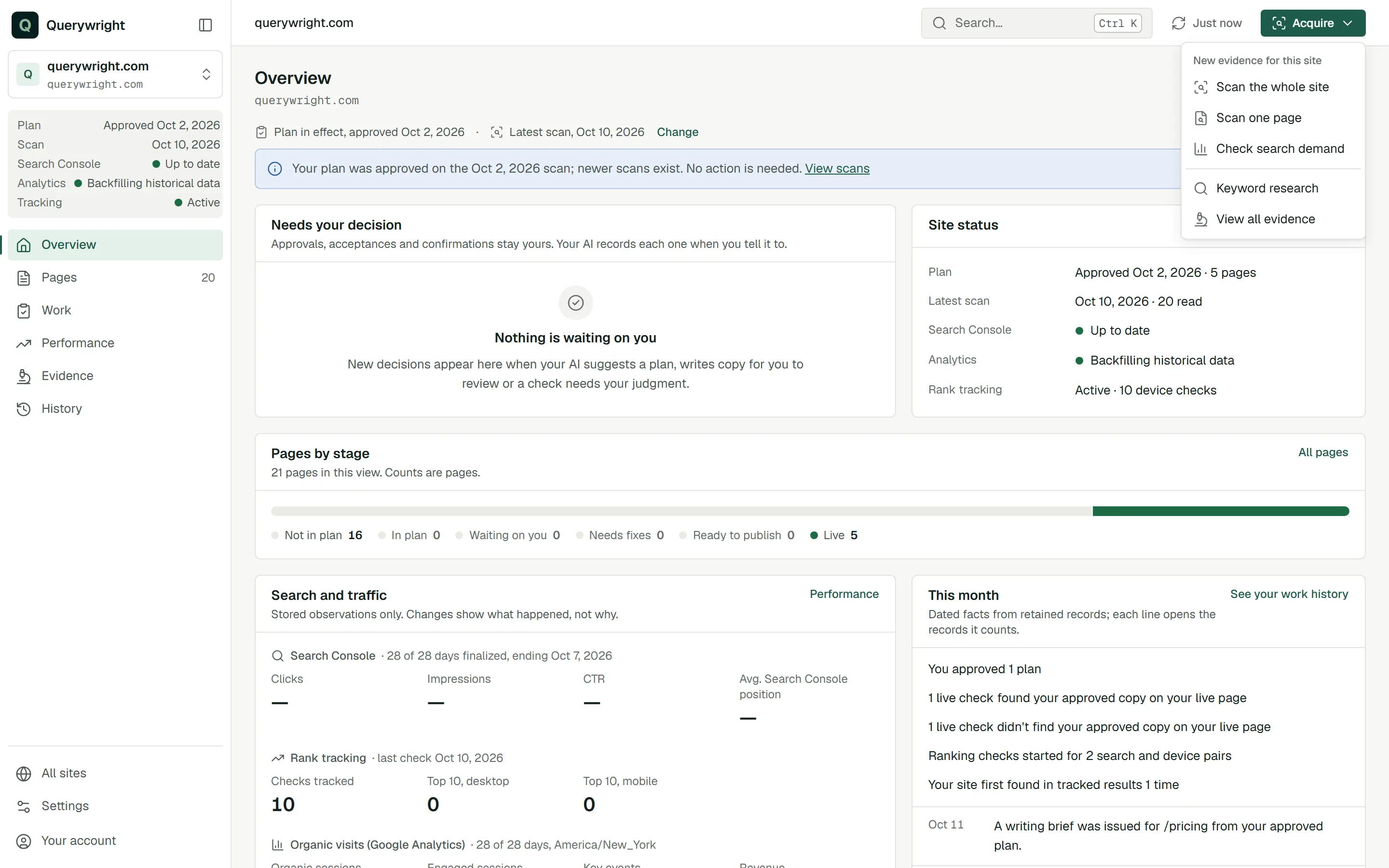
- From your AI. This is the usual route. Ask Claude or ChatGPT to scan the site with Querywright. Your AI runs the scan, reads it, tells you what the site appears to do and which observations support that, and asks before it measures any search demand. You can ask for a smaller or larger scan, up to 200 pages, or for one page only.
- From the App. Press Acquire in the top bar and choose Scan the whole site or Scan one page. For a whole site, enter the “Site address”, choose “Pages to read (up to 200)” (25, 50, 100 or 200; the default is 100) and start the scan. “Big sites are read in steps, so keep this page open until it finishes.” Each page in the results has Scan this page for a closer look. For one page, enter the “Page address” and press Scan page.
When a scan finishes, the App shows “Scan saved for your AI” and offers the exact scan to copy or download. A scan that stops before it finishes shows “Scan interrupted” and is not saved; run it again.
Scan only https://example.com/services/plumbing and tell me what the page is about and what it already seems positioned for. Don’t measure anything yet.Reading a page in a browser
Some pages build their content with JavaScript, so a plain fetch sees less than a visitor does. When that matters, your AI can ask Querywright for a rendered page read: the page is opened in a browser, its scripts run, and what the browser saw is saved beside the plain fetch and compared with it. The page’s Evidence tab shows the result under “Rendered page”: when it was read, what differs from the fetch, main content words in each, and links or schema found only after rendering.
The two reads stay separate. The plain fetch is what your server delivered; the rendered read is what a browser observed. A difference between them is two observations, not a verdict on your site. A site scan never renders pages; a rendered read is always one page, and your AI asks first because it uses allowance.
Where it shows in the App
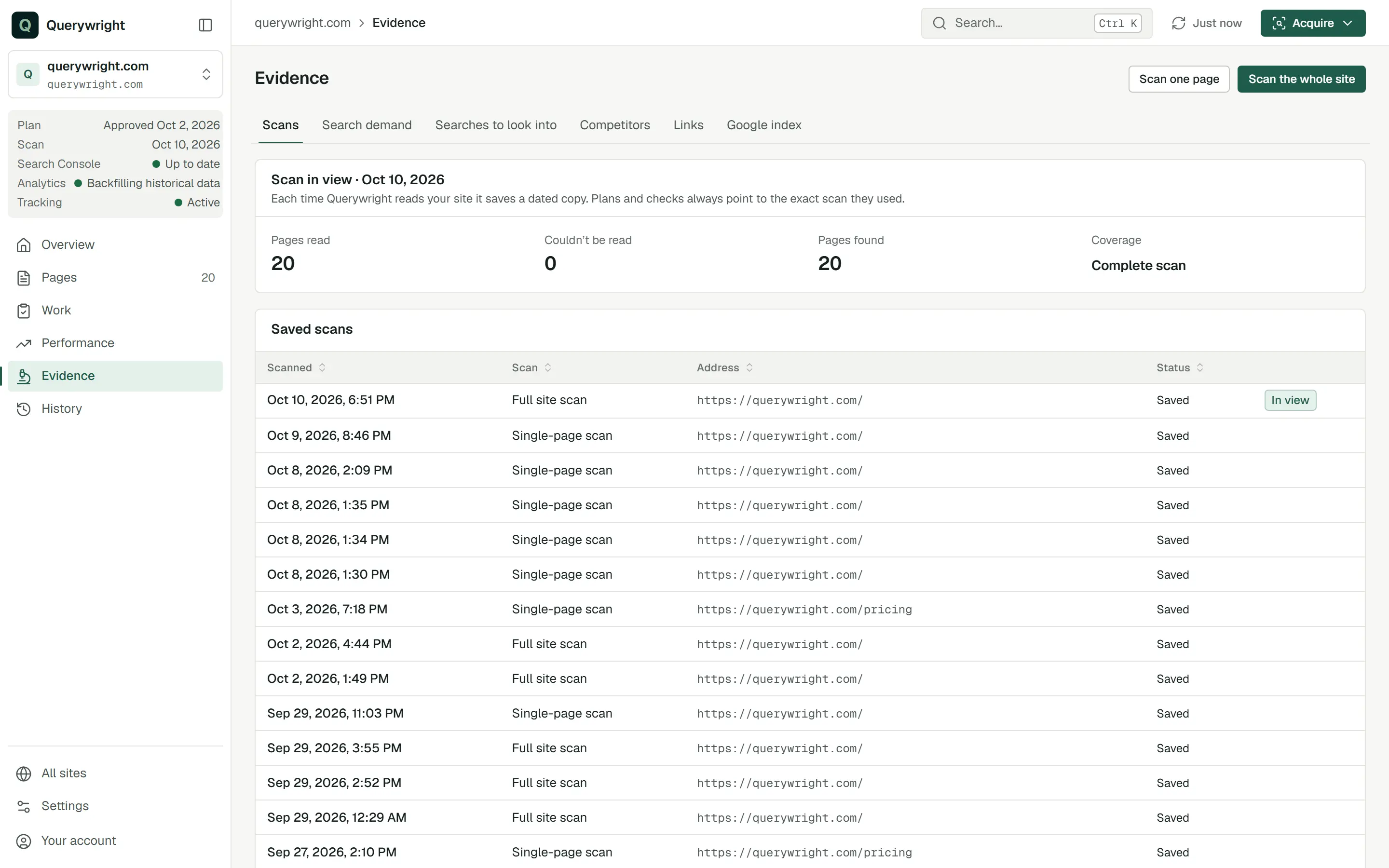
Evidence › Scans lists every saved scan for the site with its date, the address it covered and its status, and marks the one “In view”. The panel above it shows the scan in view: “Each time Querywright reads your site it saves a dated copy. Plans and checks always point to the exact scan they used.” The table shows up to 30 recent scans; your AI can open older ones.
Pages is drawn from the scan in view. When more than one scan exists, Change above the page lets you look at another; “Choosing a scan or plan changes only what this view shows.” If your plan was approved on an earlier scan, the App says so and notes that no action is needed.
Does it use allowance?
- Sites researched (10 per billing period). A site counts the first time a scan of it succeeds in the period. The App reminds you: “If this is the first successful scan of this site in your billing period, it counts toward your 10 sites.” Scanning the same site again in that period reuses its slot.
- Rendered page reads (50 per period). One per page read in a browser. Reading the same page again within 24 hours reuses the earlier read.
- A plain scan uses no other allowance. It contacts your site only, never a data provider.
The counts are in Settings → Usage. See allowances.
Last updated