Research
Search demand
Search demand is Google Ads' count of how often people make an exact search. Querywright measures it when you say yes and keeps the number exactly as Google Ads returned it.
Search demand is how often people search for an exact phrase each month, measured from Google Ads data for one location and one language. It answers “do people search for this, and how often?” It does not say whether your page fits the search, how hard it is to rank, or what to do about it. Those are your AI’s reasoning and your decision.
What Querywright records
| Field | Meaning |
|---|---|
| Search | The search exactly as submitted, and as normalized for matching (lower case, punctuation removed). Spellings that normalize to the same phrase are measured once. |
| Location and language | The market it was measured in: a city, county, region or country from the Google Ads catalog, and a language. The same search can measure differently in another market. |
| Searches a month | Google Ads’ monthly figure, an average over the last twelve months. |
| Recent months | The monthly values behind that average where Google Ads returned them, including a three-month average and the same month last year, so you can see whether demand is current or seasonal. |
| State | One of the demand labels below. |
| Measured | The date of the measurement. A measurement reused later keeps its original date. |
The App shows each measurement in one of these words:
| Label | Meaning |
|---|---|
| “About N searches a month” | Google Ads measured a number above zero. |
| “Google Ads reports 0. That’s their count, not proof nobody searches it.” | Google Ads measured zero in this market. |
| “No data from Google Ads for this search” | Google Ads returned no measurement. It is not zero. |
| “Not checked” | Not measured in the evidence you are looking at. |
| “The check failed. Try again.” | The measurement was attempted and failed. |
Measured zero vs no data explains why these never stand in for each other.
Searches that may share one number
Google Ads can group close variants of a phrase into one bucket and report the same figure for each. When several searches have identical numbers and identical monthly curves, Querywright marks them as possibly sharing one measurement. Searches to look into puts it this way: “This may share a provider measurement with related phrases; the volumes are not necessarily independent.” Do not add them together as separate demand. The mark is a labelled guess from identical numbers, not a fact from Google Ads.
Where it shows in the App
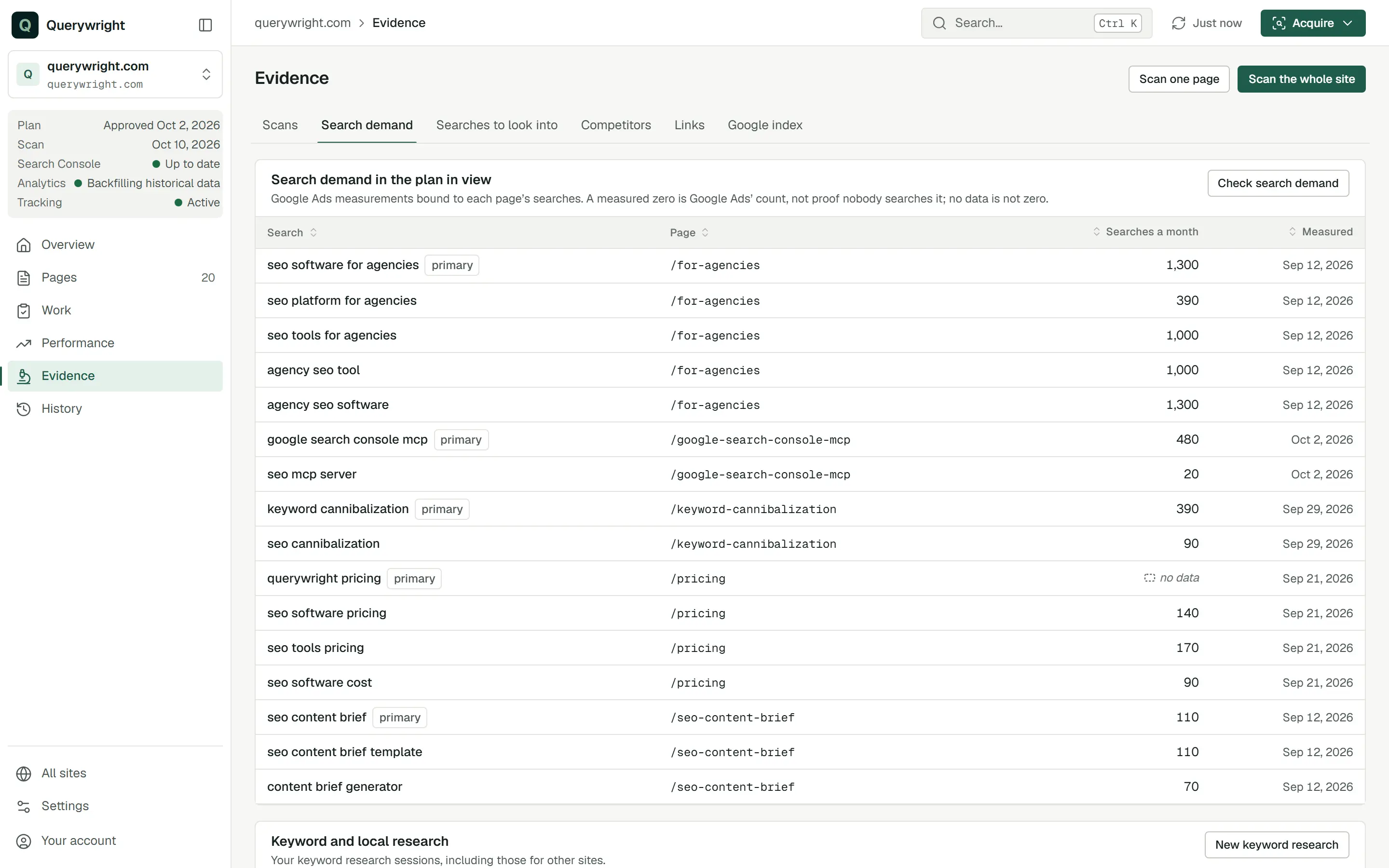
Evidence › Search demand lists the searches in the plan in view, each with the page it belongs to, its searches a month and the date measured; a page’s first search is marked “primary”. Below it, “Keyword and local research” lists keyword research you ran from the App. Suggested plans and saved plans show the measurement beside each target search.
Searches to look into
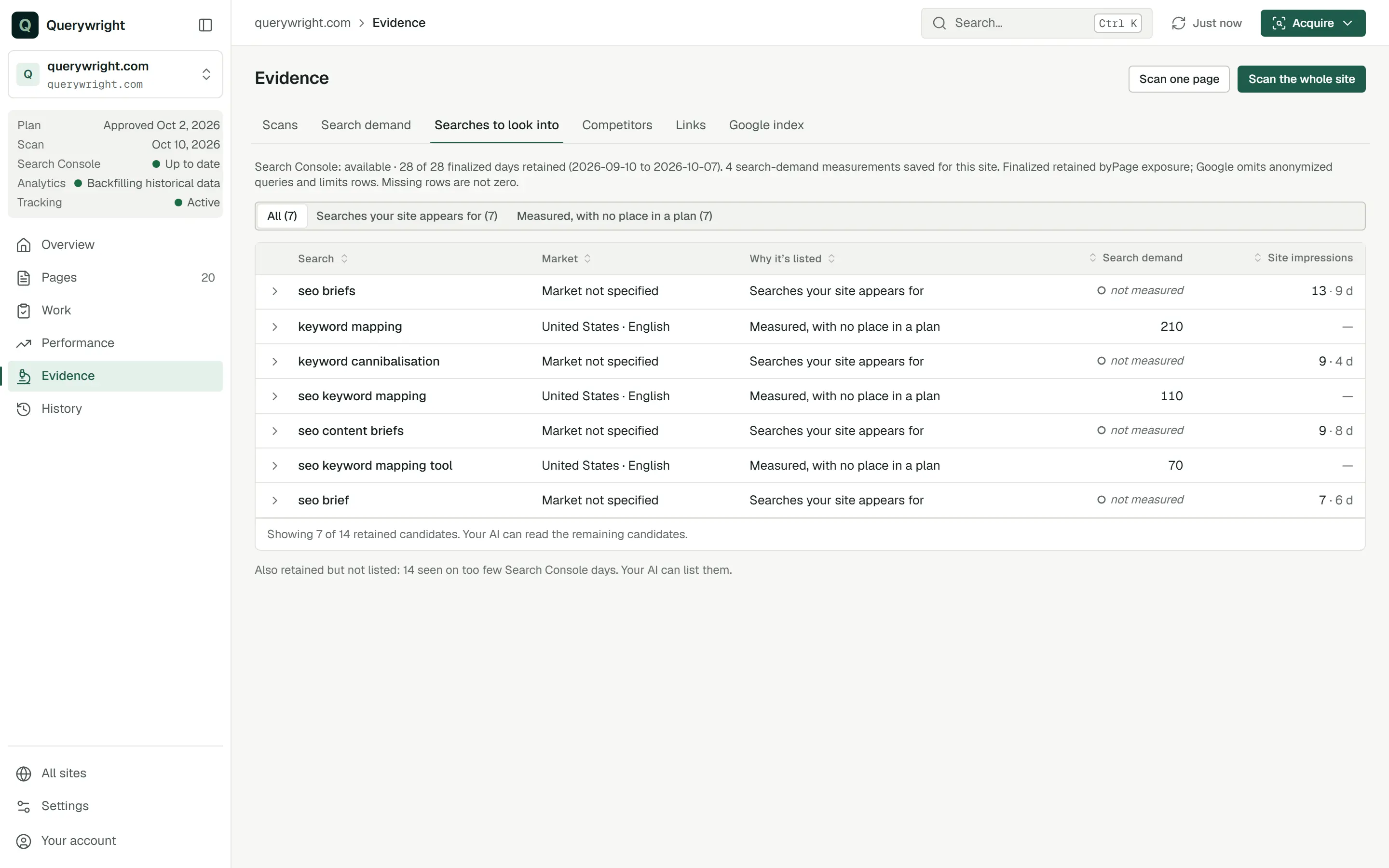
Evidence › Searches to look into lists candidates drawn from evidence you already have. They are candidates, not recommendations: nothing in the list is approved, dismissed, measured or assigned to a page. Each candidate shows why it is listed:
| Why it’s listed | What it means |
|---|---|
| “New evidence since you set it aside” | You said you were not pursuing this search, and newer evidence about it exists. Your earlier decision stands until you change it. |
| “Searches your site appears for” | Search Console shows impressions for your site on this search. Exposure is not search demand. |
| “Measured, with no place in a plan” | Search demand was measured for this site, and no plan names the search. |
| “Competitor gaps” | A competitor ranks for this search in a saved competitor gap snapshot, and your site has no history for it. The figure is the provider’s estimate, so the search still needs measuring. |
Opening a row shows the reasons, the measurement and its date, any Search Console impressions and how many days they cover, and your earlier words if you set the search aside. The App names its limits: when the evidence it read is incomplete, it says candidates may be missing.
Which searches would you look into for example.com, using only the evidence we already have? Say which ones you’d want measured before recommending anything.Measuring new searches
Your AI measures searches when you agree to a concrete request: these searches, in this location and language. It prepares the list, tells you what it will measure and asks once. You can also measure from the App: press Acquire, choose Check search demand, pick “Only these searches” or “These searches plus related ideas”, enter “Searches, one per line” (up to 100 searches, or up to 20 when you include related ideas), choose the “Location” and “Language”, and press Check demand. The results show how many searches measured positive, measured zero and returned no data, and offer the exact results to download for your AI.
Does it use allowance?
- Keyword measurements (100,000 per billing period): searches measured for exact phrases.
- Keyword exploration requests (100 per period): requests that include related ideas.
- Reading a measurement you already have uses nothing, and a lost answer is never re-measured to recover it.
Your AI asks before using either. The counts are in Settings → Usage; see allowances.
Last updated